
LHTpics
Create LuckyHash profile pictures, social posts, banners and wallpapers. Customise a template or start from scratch in your browser.
Visit lhtpics.com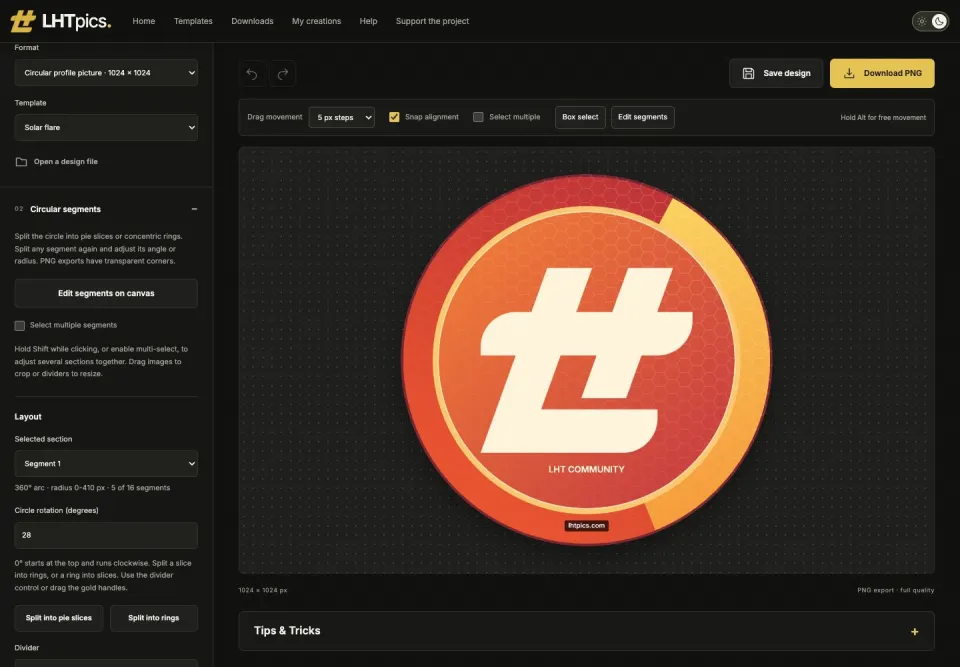
More than profile pictures
I built LHTpics as the replacement for my original LuckyHash Profile Pic Generator. It supports square and circular profile pictures, social posts, landscape images, banners and wallpapers, with custom canvas sizes for other uses.
Start with a template or a blank canvas. The site is free to use and does not require an account. There is also a downloads library for artwork and wallpapers that are ready to use.
Customise your design
Add your own photos and text, choose a LuckyHash logo, and adjust colours, backgrounds and patterns. The preview updates as you edit, so you can see how the elements fit together.
Circular designs can be divided into slices or concentric rings, with separate images and colours in each section. Wallpapers have desktop, phone and tablet sizes, or you can enter your own dimensions.
Download and edit later
Download a PNG to use or share the finished image. Save an editable design file as well if you want to reopen it in LHTpics and make changes later.
Your photos, edits and image exports are processed in your browser. Optional browser storage can help you recover recent work, but downloading the design file gives you a copy to keep.